Your VPN in 3 minutes
No tech skills. No credit card. Measured: 10–20 Mbps sustained for hours.
Sign up
0.5 min · Register with your email.
Done when:you're signed in and the dashboard shows progress 0/3。
Create a server
0.5 min · Click “Create server” and pick the free server — always on, no speed cap, unlimited traffic.
Path: left sidebar → Servers → New Server → type Free Server → Deploy Now.
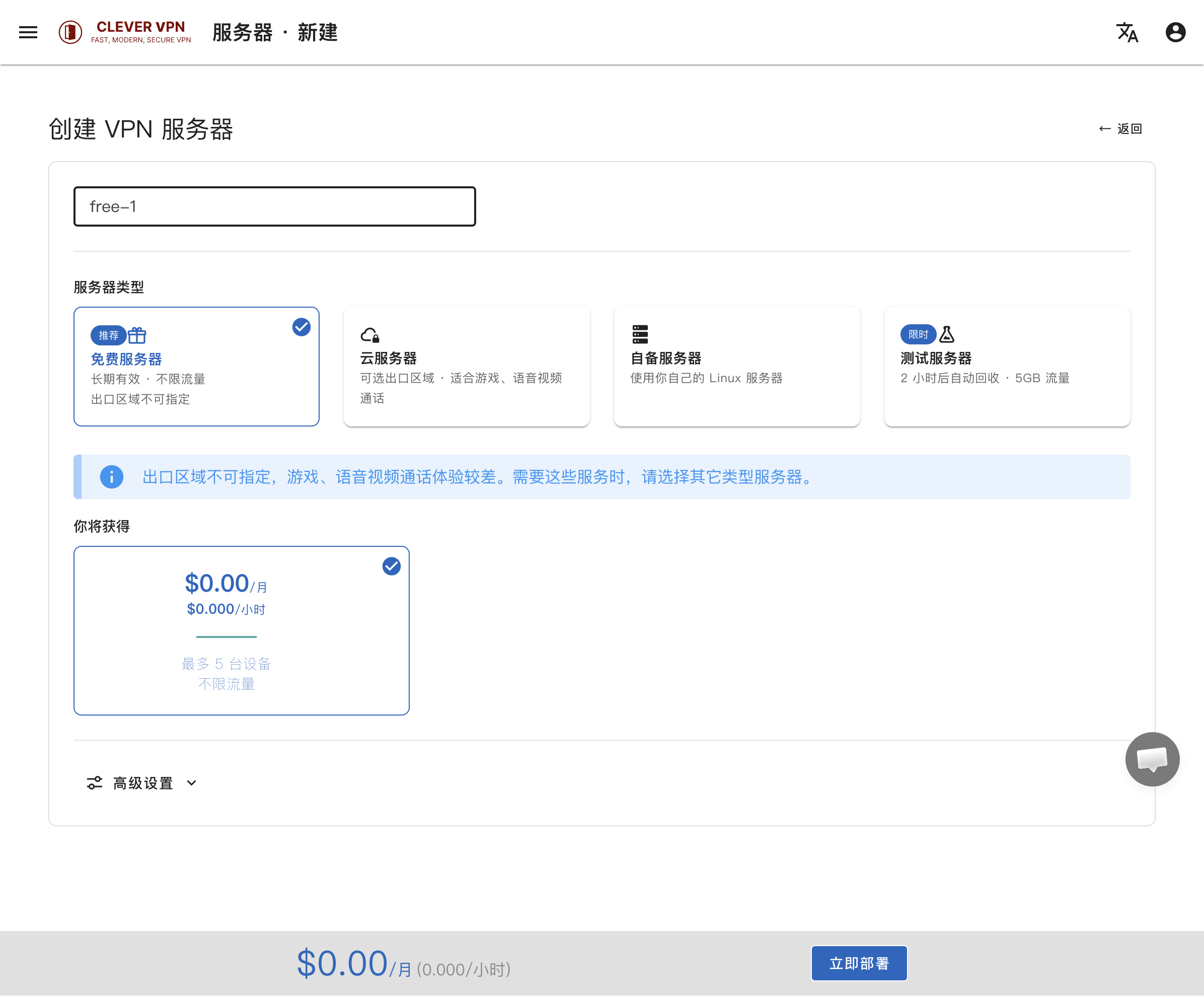
The free server's exit region can't be chosen. If you need to choose a region, or want gaming and voice/video calls, use a Cloud Server instead.
Done when:the server status turns Running (usually 1–3 minutes).。
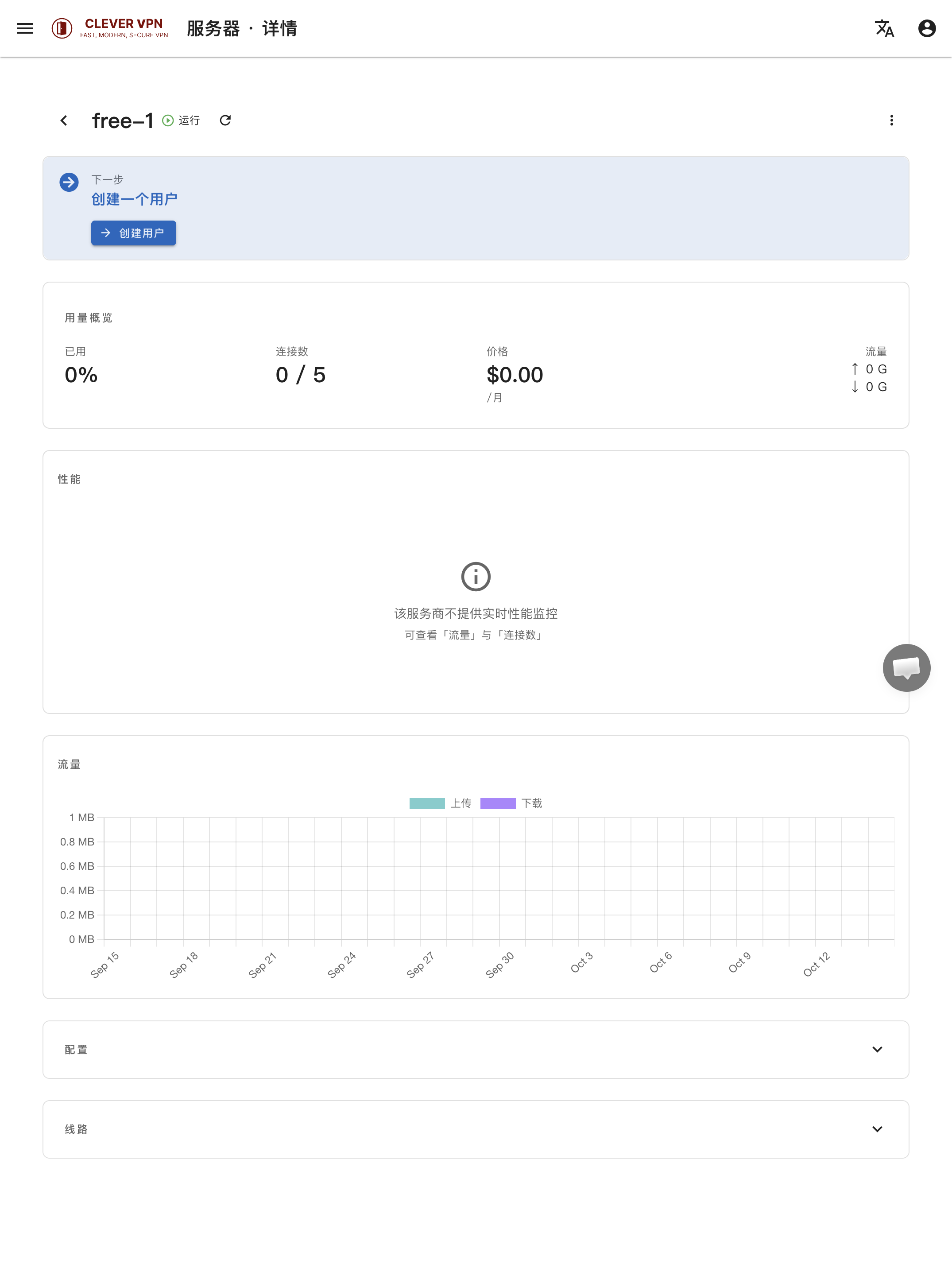
Create a user, download the app, connect
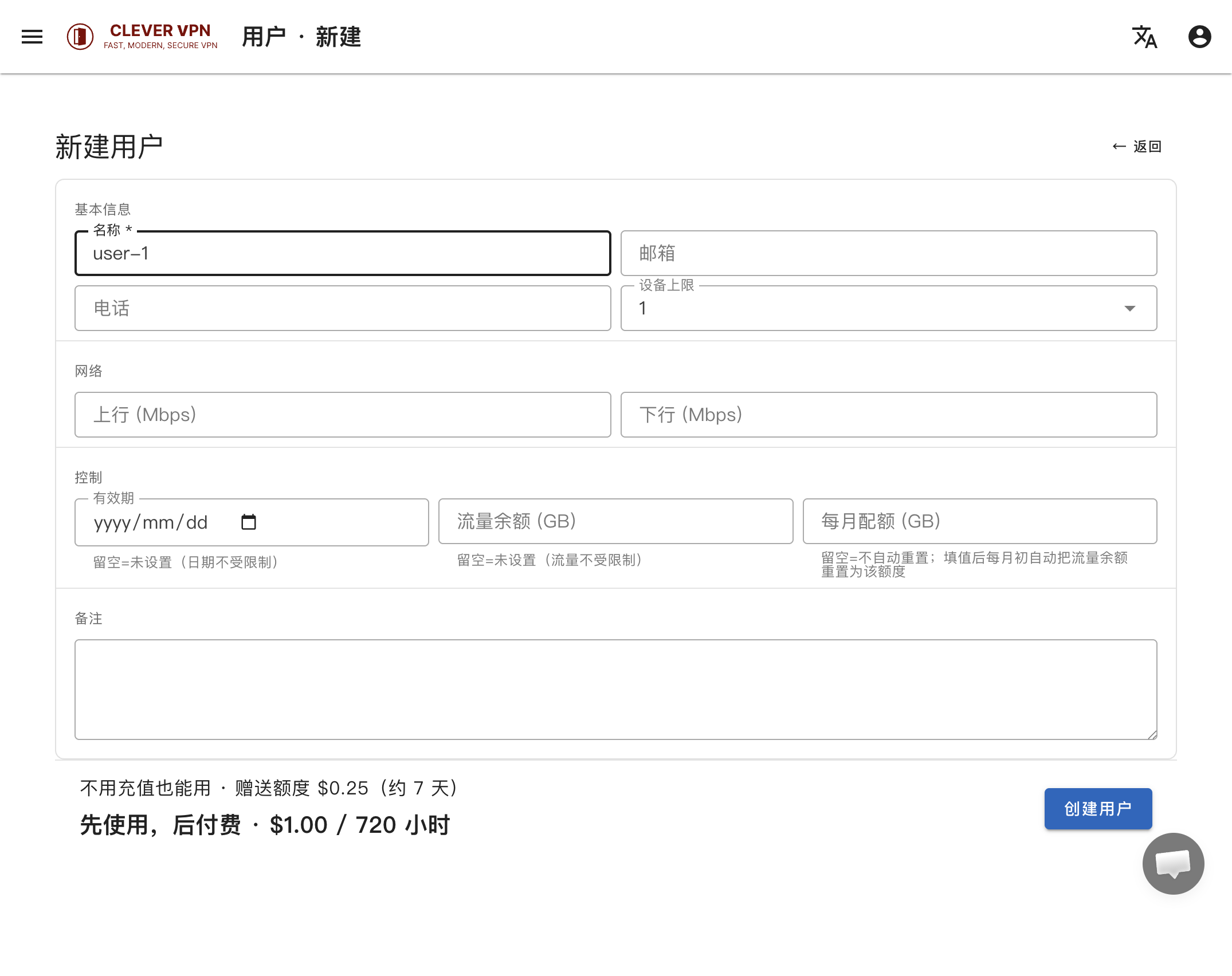
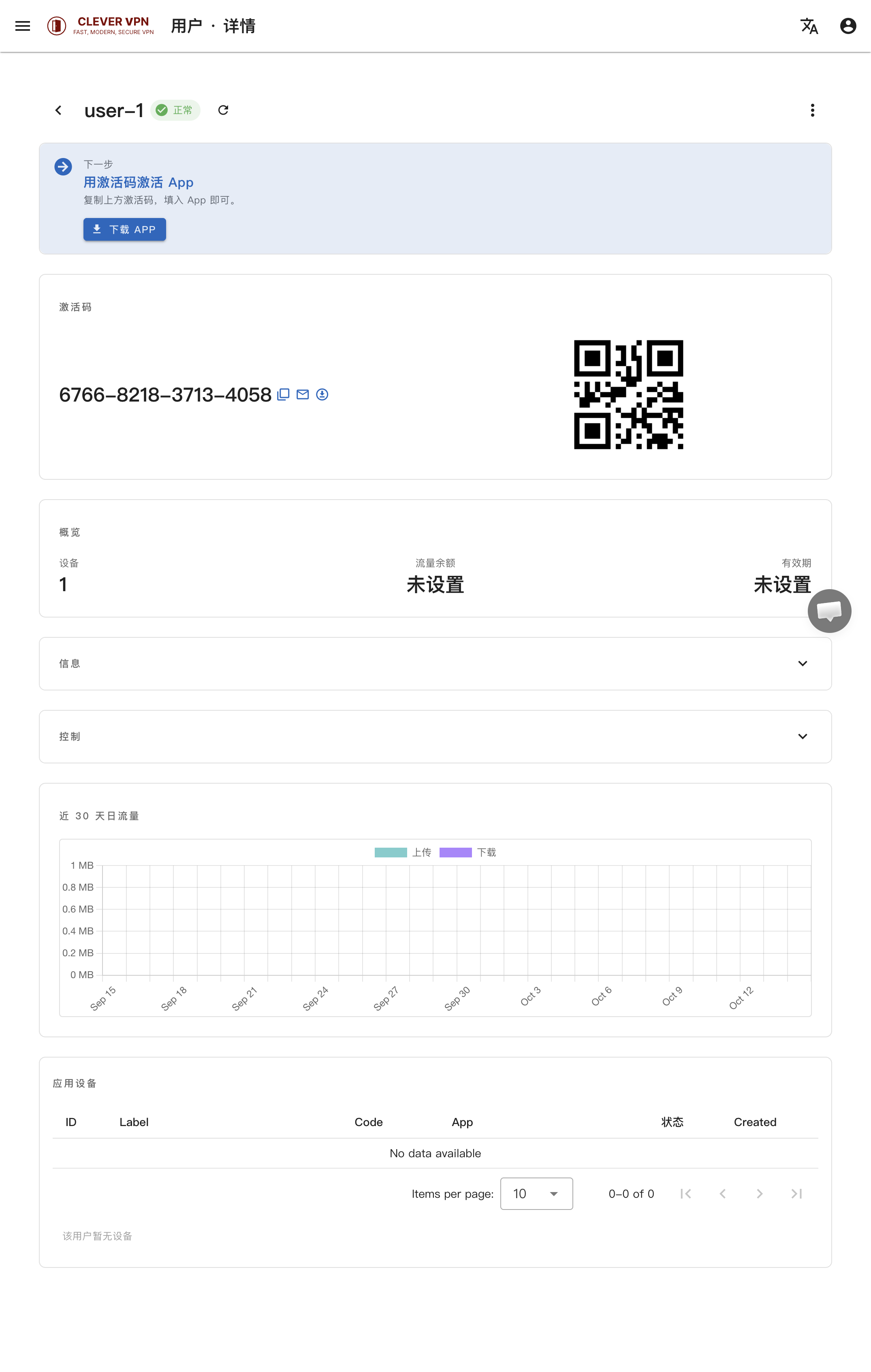
2 min · Create a user, get an activation code, download the app and activate it.
Path: left sidebar → Users → New User → fill in Name (required) → Create User.
Done when:the user detail page shows the activation code (like XXXX-XXXX-XXXX-XXXX) — enter it in the app to connect.
Measured: 10–20 Mbps
The result of the three steps above — sustained over hours of playback (not a peak screenshot):
sustained (hours of playback)
peak
Still stuck?
The Telegram group gets the fastest answer. If you cannot use Telegram, use the live chat in the bottom-right corner, or open a ticket under Support in your dashboard.
Join the Telegram group